
Quizience is supported by you the audience. When you purchase through links on our site, we may earn an affiliate commission.
A mouse pad might seem unnecessary these days — especially when the best gaming mice will work on just about any surface. But just because you don’t need a mouse pad for your mouse to work doesn’t mean you don’t need one for your gaming setup. In fact, a level, consistent surface that’s designed for gaming is exactly what you need to stay ahead of the competition.
Plus, some of them are really pretty, and can tie your whole desk together — especially if the rest of your setup involves customizable RGB lighting.
Gaming mouse pads come in a variety of shapes and sizes, but you generally won’t find anything that’s tiny — the standard gaming mouse pad is a “medium,” and measure approximately 17.7 x 15.75 inches (450 x 400 mm). Many are larger — designed to fit under both your mouse and keyboard, or even cover your entire desk — but you’ll want to make sure you get one that fits your space (after all, it’s not a level, consistent surface if it doesn’t sit flat on your desk). There are factors other than size to consider, such as thickness, surface type, edge stitching and lighting, and overall maintenance and durability. If customizable lighting is a priority, know that not all mouse pad lighting is created equal — the quality (and durability) of a mouse pad’s edges, the number of RGB zones it has, and the software that supports it can all make a big difference.
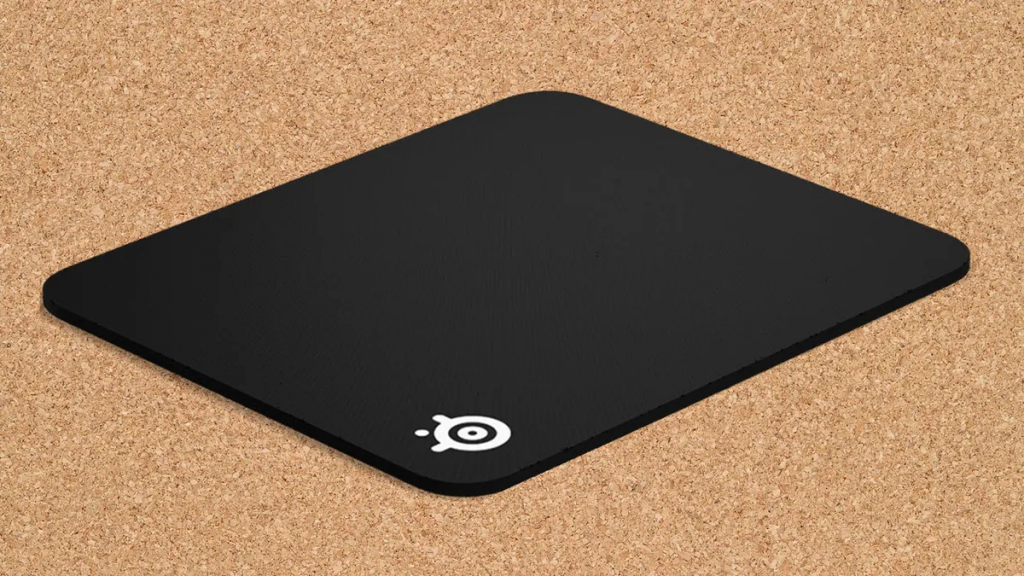
Steelseries QCK Heavy – Best Mouse Pad
- Surface: Micro-woven cloth
- Measurements: 17.7 x 15.7 x 0.2 inches (Large)
- RGB Zones: None
- Software: None
- Base: Non-slip rubber
If you don’t need RGB (does anyone need RGB?), the SteelSeries QCK Heavy is an extra-thick, non-RGB cloth mouse pad that comes in three sizes. SteelSeries has several mouse pads in its QCK lineup, including the regular QCK, which is one-third the thickness of the QCK Heavy, and the recently-introduced QCK Performance, which features three different surfaces — speed, balance, and control. However, we prefer the QCK Heavy for most users: it’s more durable than the regular QCK, and it offers a better size range (and is cheaper) than the QCK Performance.
Both the QCK Heavy and the regular QCK feature a micro-woven cloth surface that makes for easy but precise sliding and is hand-washable. Decoration is light — a small SteelSeries logo in the bottom left corner is the only thing that might distract you from your game. The mouse pad has a non-slip rubber base that keeps it firmly rooted to your desk — it didn’t budge no matter how hard our reviewer moved their mouse.
The only minor gripe we had with the QCK Heavy is that it’s so thick that it can take a bit of extra time to flatten out when you first take it out of the box. This isn’t too much of an issue if you don’t plan on moving it a lot, but be careful not to keep it rolled up too long when traveling. We suggest placing a heavy book or weight on top of it overnight before you first use it.
Both the QCK Heavy and the QCK should fit most desks, thanks to the various size options. Our reviewer tested the large size (17.7 x 15.7 x 0.24 inches / 450 x 400 x 6 mm), but the QCK Heavy also comes in medium and XXL, while the regular QCK comes in small, medium, large, 3XL, 4XL, and 5XL. The QCK Performance comes in two sizes, L and XL, which may be too large for many gamers’ desks.
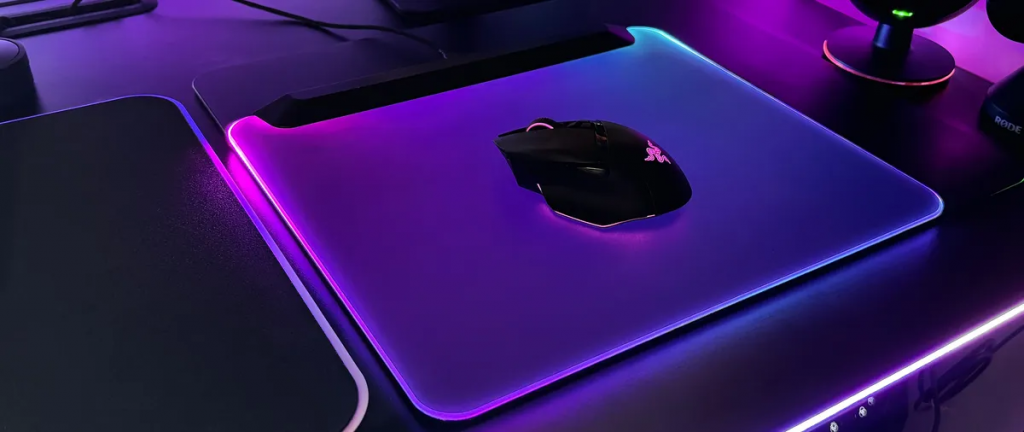
Razer Firefly V2 Pro – Best RGB Mouse Pad
- Surface: Hard, micro-textured plastic
- Measurements: 14 x 10 x .01 inches (355 x 255 x 3mm)
- RGB Zones: 19
- Software: Razer Synapse 3
- Base: Rubber
Most RGB gaming mouse pads have lighting around the edges, usually with several individual lighting zones for seamless-yet-complex lighting effects. But why settle for edge-based lighting when you can have a backlit mouse pad? Razer’s Firefly V2 Pro is the world’s first (and, so far, only) RGB backlit mouse pad.
And it’s definitely eye-catching.
The Firefly V2 Pro is a hard-surface mouse pad with 15 RGB lighting zones, which are located in a black bar along the top of the mouse pad. The mouse pad consists of three layers — the primary layer is a sturdy piece of translucent frosted plastic that diffuses lighting edge-to-edge. This frosted layer is covered in a thin, micro-textured surface (that’s “optimized for optical sensors”) so the lightshow won’t mess with your mouse’s sensor accuracy. The surface is matte and fairly grainy — mice glide smoothly across it, but it’s not quite as comfortable as softer or smoother surfaces, and the texture seems to be aimed more toward speed rather than extreme precision.
The bottom of the mouse pad is covered in a rubbery, anti-slip material so the Firefly V2 Pro won’t slip around your desk if you’re swiping aggressively. The mouse pad comes in black and white colorways, and both allow for plenty of bright, colorful RGB lighting to shine through (especially in the dark).
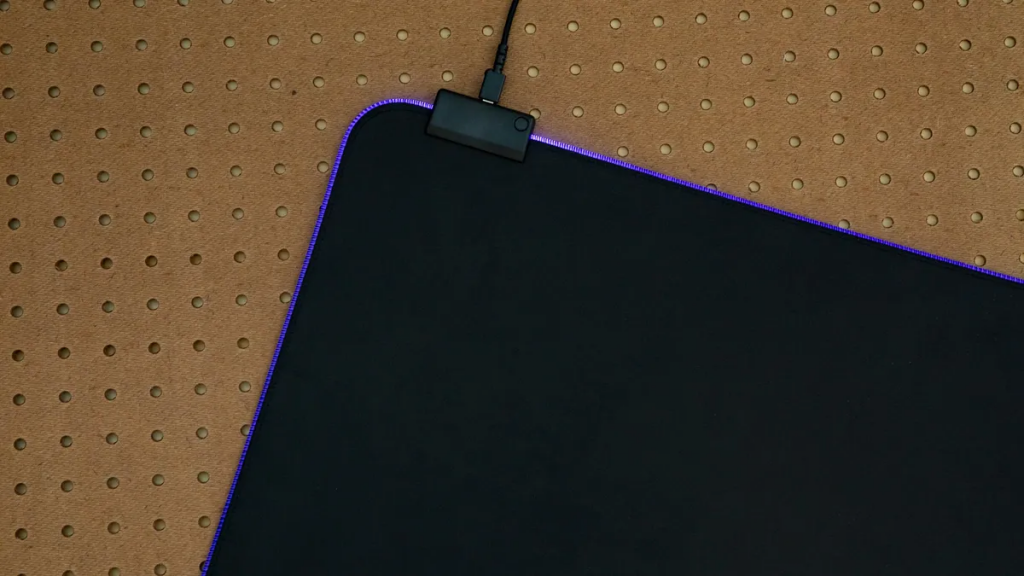
Cooler Master MP750 (M) – Best Budget RGB Mouse Pad
- Surface: Soft cloth
- Measurements: 14.57 x 10.63 x 0.12 inches (370.08 x 270 x 3.05mm)
- RGB Zones: 1
- Software: Cooler Master MasterPlus
- Base: Rubber
If you don’t want to spend much on a mouse pad but you also don’t want to give up flashy RGB, the Cooler Master MP750 (M) features RGB lighting and can usually be found for $20 – $35, though the price fluctuates. According to Cooler Master, the finely textured cloth offers a “slick texture and smooth maneuverability,” but while it was sufficient for the average game session during our testing, it didn’t otherwise feel particularly special. It does, however, have a spill-resistant coating: we spilled water on it and the large droplet rolled off and was easy to clean up with a tissue. It also features a detachable cable for when you don’t need RGB.
The MP750 (M)’s RGB border shines pretty brightly. A handy button lets you cycle through static colors without opening software. Unfortunately, black stitching interrupts the RGB frame, and we’re a little worried about getting things (such as jewelry) caught between the loops and causing damage.
Since there’s only one RGB zone, there’s not that much to do in the Cooler Master Master Plus software. There are four lighting modes — Color Cycle, Static, Breathing or off — and five speed settings via a toggle. Static and Breathing modes offer a color picker, but it wasn’t always accurate. For example, we tried to make a peach/white breathing effect, and ended up with a white-ish purple flickering. The MP750 also comes in large and extra large versions.
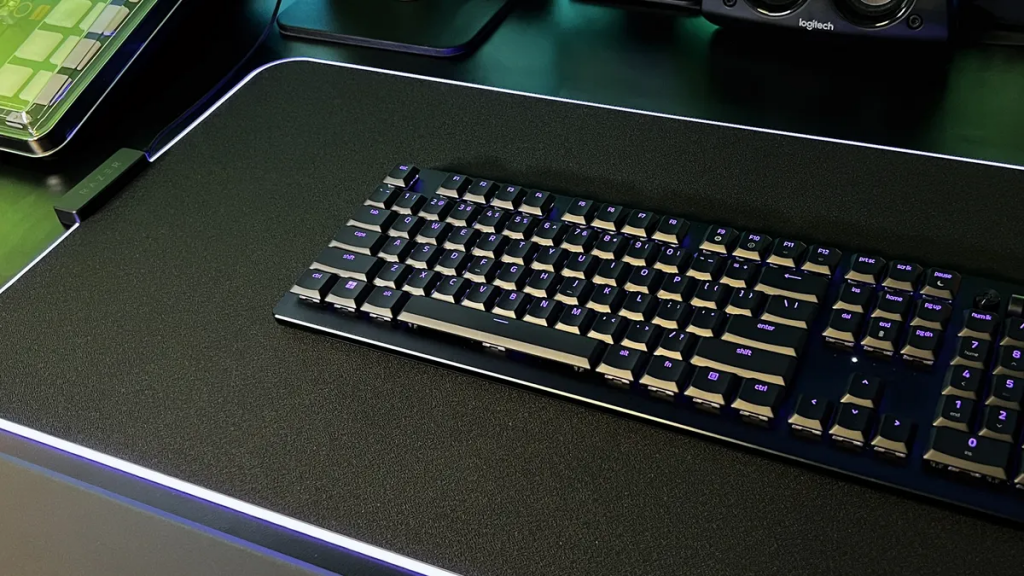
Razer Strider Chroma – Best Hybrid Mouse Pad
- Surface: Polyester
- Measurements: 900 x 370 x 4 mm
- RGB Zones: 19 Razer Chroma RGB Lighting Zones
- Software: –
- Base: Rubber
The Razer Strider Chroma has a hybrid surface — harder and slicker than a cloth mouse pad, but with enough texture for controlled, precise movements. It’s the best of both worlds: perfect for gamers who need both speed and control. Plus, it’s water-resistant and easier to keep clean than your standard cloth mouse pad (though it’s not quite as easy-to-clean as a hard surface).
The Strider Chroma only comes in one size — extended, which is large enough to hold both your keyboard and mouse without covering your entire desk. The Strider Chroma has a thick, no-slip rubber base and looks fantastic on your desk with seamless edges (no visible stitching) and 19 zones of bright, Chroma-infused RGB lighting that can be customized in Razer’s Chroma Studio with different colors and effects (including audio-reactive effects).
The main downside to the Strider Chroma is its price — with an MSRP of $130, it’s practically like buying a keyboard or a mouse. But it’s so beautiful it just might be worth it.
We should also point out that we used this mouse pad for around two years straight and found that around the two year mark the RGB started to discolor significantly — it was still bright and vibrant, but the lighting in the lower right corner remained red no matter how we tried to adjust it. Granted, we hadn’t turned the mouse pad off for two years straight, but considering its price point is largely due to its lighting, we do think the lighting should have lasted a little longer.
Razer Atlas – Best Hard Surface Mouse Pad
- Surface: Tempered glass
- Measurements: 450 x 400 x 5 mm
- RGB Zones: None
- Software: –
- Base: Anti-slip rubber base
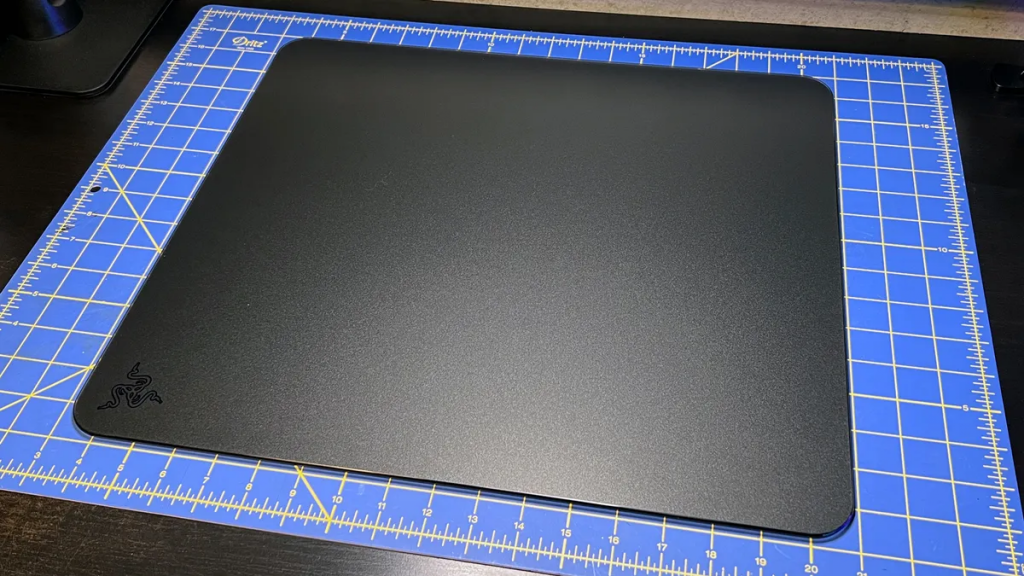
If speed is your top priority, a soft, cloth mouse pad is not for you — and even a hybrid mouse pad will slow you down. You need a hard, smooth, low-friction surface made of plastic, ceramic, aluminum, or glass, like our favorite hard surface mouse pad, the Razer Atlas.
The Atlas is Razer’s first tempered glass mouse pad, and it’s entirely analog — no RGB, no Razer Synapse, nothing. Its smooth, matte surface is micro-etched with 2μm texturing that’s designed to work with optical sensors, and features an easy-to-clean oleophobic coating. The Atlas felt amazing and tracked perfectly with every laser and optical mouse we threw at it — though Razer recommends using a mouse with a Razer Focus Pro 30K Optical Sensor, such as the DeathAdder V3 Pro, of course. Its oleophobic coating offered just the right amount of friction (read: none) for maximizing speed without sacrificing precision.
Our main issue with the Atlas was its size — at 17.72 x 15.75 x 0.19 inches (450 x 400 x 5mm), and made of rigid glass, it’s a little too large to easily fit on the average desk, as it can’t be placed on uneven surfaces, nor are you supposed to put heavy, rough, sharp, hot, cold, etc. objects on top of it. Even just a little smaller would make this mouse pad an easier fit for the more deskspace-challenged.
Another minor issue is the oleophobic coating, which has started to come off slightly around the edges after a year or so of consistent use. This isn’t too surprising, as Razer does warn you not to use chemicals for cleaning, but it seems the coating is also susceptible to oils from your skin.
Corsair MM350 – Best XL Mouse Pad
- Surface: Anti-fray cloth
- Measurements: 35.4 x 15.8 x 0.2 i36.6 x 15.7 x 0.2 inches (XL Extended)nches ( 900 x 400 x 4mm)
- RGB Zones: None
- Software: None
- Base: Non-slip rubber
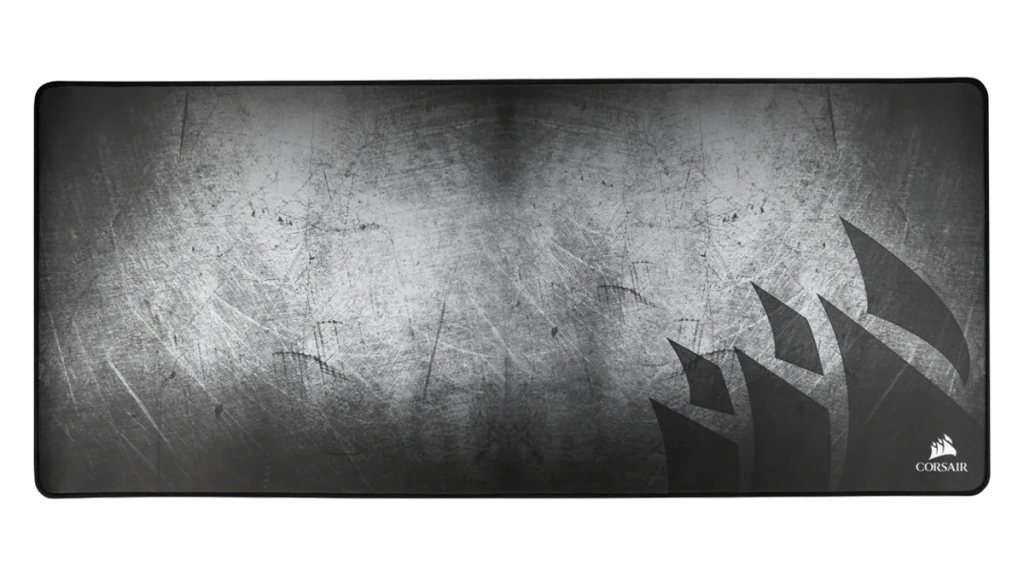
With how big mouse mats are, it’s important that they don’t just provide your mouse with a good surface to slide around on, but also your wrists with a comfortable surface to rest on. The Corsair MM350 knocks this out of the park. While it does come in a smaller, more pad-shaped size, we’re recommending the mouse mat-sized, XL Extended version here so you can get the most out of that luxurious feel while not being too bothered by the seams at its edges.
While the mat’s surface feels great — almost like a cooling pad — it does come decked out with a battle-damaged gunmetal gray pattern that won’t be for everyone. But, good news: this mouse pad now comes in a plain black version (with Corsair’s ship logo in the lower right corner) for the same price, as well as a pink cherry blossom version that retails for $10 more.
HyperX Pulsefire – Best XL RGB Mouse Pad
- Surface: Textured cloth
- Measurements: 35.43 x 16.54 x 0.2 inches
- RGB Zones: 2
- Software: HyperX Ngenuity
- Base: Rubber
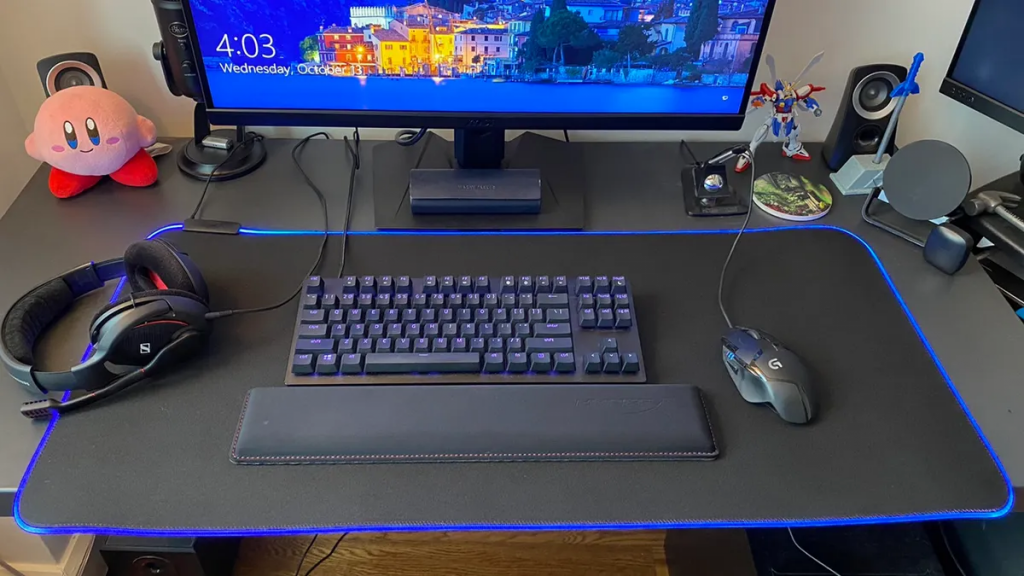
The HyperX Pulsefire mouse mat is HyperX’s first RGB mouse mat in its rectangular XL size, and is easily the company’s best RGB mouse pad for larger desks. At a spacious 35.43 x 16.54 x 0.2 inches, it’s a little too big for some setups, but it’s also a great way to cover as much of your desk as possible if you have the space. And at $50, it’s got a cheaper MSRP than similar rectangular options from the likes of Steelseries and Thermaltake.
Construction is solid across the board here, with a textured cloth surface that gives you plenty of grip without feeling uncomfortable on your wrists and arms. The silicone shielding around the RGB-lit edge also means this mouse pad’s corners aren’t likely to fray anytime soon. Plus, the textured rubber on the mouse pad’s underside means it won’t slip around with your sweeping arm movements while you’re gaming.
The RGB is a little less robust than we’d like. There are only two zones, and while you can select from a wide variety of patterns and colors, there’s no integration with Discord and the list of games with special integration for HyperX’s RGB software is pretty sparse. Still, the mouse pad’s RGB touch sensor is a nice bonus, allowing you to easily cycle through 3 RGB presets without needing to dive into software.
Make sure to measure your desk before getting this mouse pad so it doesn’t end up hanging over the edge!
Skypad Mousepad 3.0 – Best Alternate Size Hard Surface Mouse Pad
- Surface: Speed
- Measurements: 13.78 x 11.81 x 0.14 inches
- RGB Zones: None
- Software: None
- Base: four small circular anti-slip feet
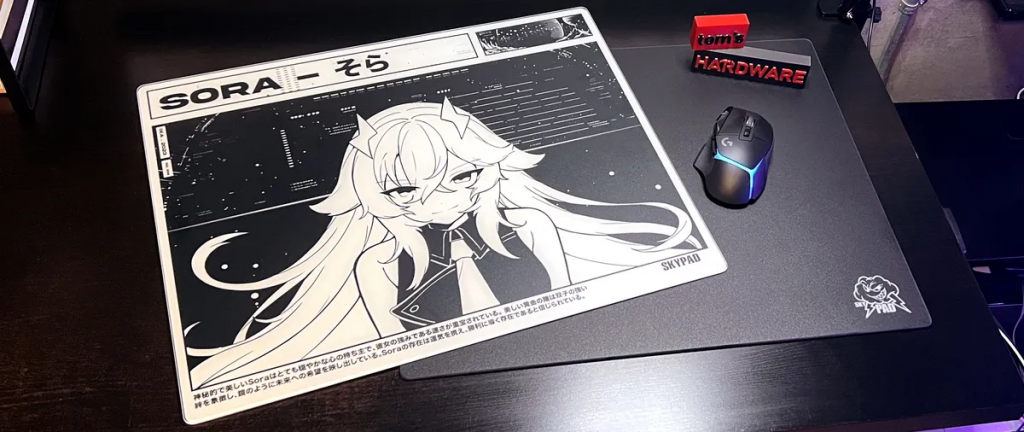
Size definitely matters when it comes to glass mouse pads — if Razer’s Atlas is too small or too large for your desk space, Skypad’s Mousepad 3.0 has you covered. The Mousepad 3.0 comes in two sizes: regular (13.78 x 11.81 inches / 350 x 300mm) and XL (19.69 x 15.75 inches / 500 x 400mm) — exactly not the size of Razer’s 17.72 x 15.75-inch (450 x 400mm) Atlas.
The smaller “regular” sized Mousepad 3.0 is the perfect size for the majority of desks — enough space to move your mouse with plenty of panache, thanks to the slick glass surface. The larger XL Mousepad 3.0 is large enough to fit a small gaming keyboard and an ultra-lightweight mouse — perfect for eSports players — for a more uniform peripheral surface.
While Skypad’s Mousepad 3.0 isn’t quite as smooth as the Atlas (it doesn’t have the Atlas’s oleophobic coating — but that does mean you don’t have to worry about the coating coming off), it works just as well. Mice track perfectly along the micro-patterned matte-finish surface, which offers a smooth glide with a small amount of resistance from the texture. The texture does make precise stopping easier to adapt to, though the Atlas is probably better for those who want speed above all else.